Super Slime Simulator: DIY Art
DramatonLifestyle
4.533.75K Reviews
- Version
- 12.93
- Installs
- 100.00M
- Age Rating
- Everyone
Screenshots
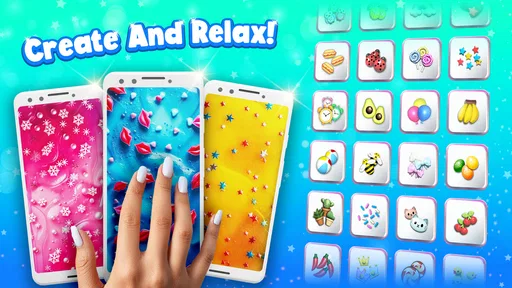
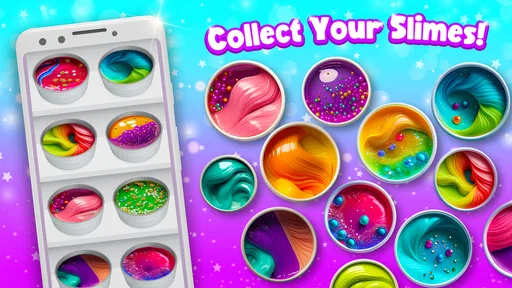
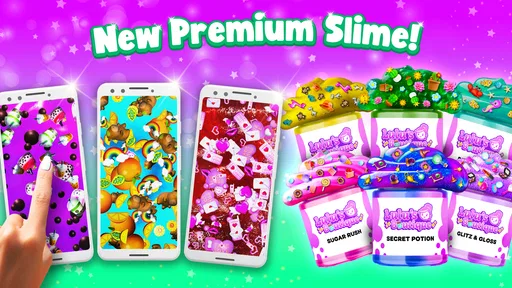
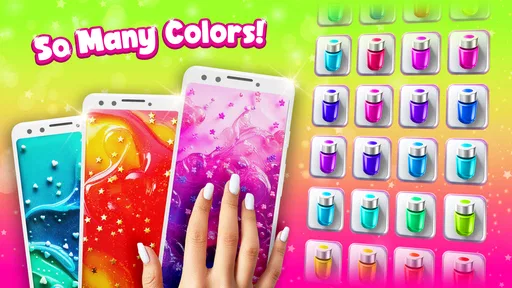
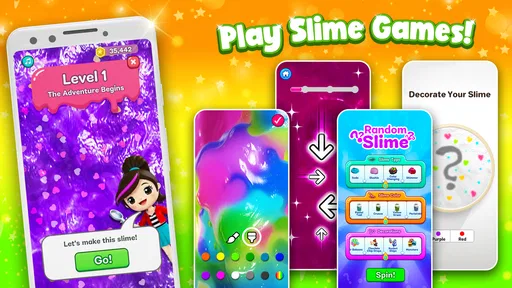
Our Review of Super Slime Simulator: DIY Art
 Analysis by Appyee
Have you ever wanted to dive into a world of squishy, stretchy fun without the mess? Well, let me introduce you to Super Slime Simulator: DIY Art. This app is like a playground for anyone who loves slime but doesn't want to deal with sticky fingers or glitter-covered floors. Let’s dive right in and see what makes this app so addictive!
What to expect from a phone full of slime
I’d think of this as a small creative toy rather than a full crafting studio or a game with a long story to follow. Its central pleasure is making a virtual material look and feel appealing through touch. You can choose a base, add visual details, and play with the result on the screen. That makes it an easy option when you want a quick, low-pressure activity, though it won’t replace mixing real slime if the physical mess and texture are exactly what you enjoy.
Super Slime Simulator is a free lifestyle app from Dramaton, and its broad appeal is reflected in its 4.5 average from around 899,000 ratings and more than 100 million installs. It is rated for Everyone, so it is suitable for a wide age range, although younger children may still appreciate an adult nearby when navigating ads or purchase prompts. The app includes optional in-app purchases, with items ranging from $3.49 to $54.99, so I’d treat any purchase as a deliberate choice rather than part of getting started.
For a first-time user, the most reassuring thing is that you don’t need a crafting plan before opening it. I’d begin by making one simple slime, choosing a base and a color I like, then testing how it responds to a few touches. That small first session is enough to show whether the sensory play is satisfying for you. The app’s current version is 12.82, and it runs on Android 7.0 or later; it was released on April 25, 2018.
Getting Started with Your Virtual Slime
First things first, downloading Super Slime Simulator: DIY Art is a breeze. Available on both Android and iOS, it takes up minimal space on your phone, which is always a plus. Once you fire it up, you're greeted with a vibrant, colorful interface that’s both inviting and intuitive. The app does a great job of guiding you through creating your first slime masterpiece.
A simple route to your first creation
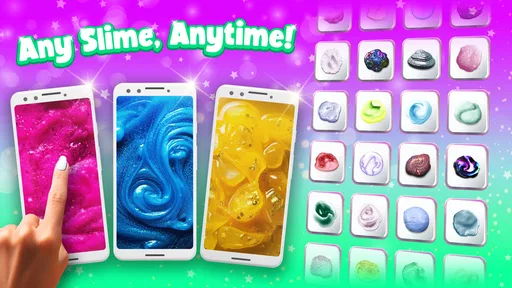
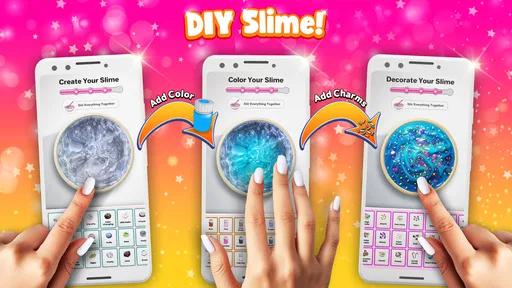
Creating slime in the app is as easy as pie. You start by choosing a base – think glossy, fluffy, or even metallic. The variety is impressive and allows for endless creativity. Once you’ve picked your base, you can add colors, glitters, and even some quirky decorations. The customization options are where the app really shines. It’s like having all your favorite slime supplies in your pocket, without any of the cleanup.
My practical tip is to change one thing at a time during your first few attempts. If you switch the base, color, glitter, and decorations all at once, it can be hard to tell which choice created the look you like. Trying a single change, then pausing to examine the result, makes the process feel more intentional. It also gives you a clear starting point if you want to make a second version with a different mood, rather than endlessly adding details to one screen.
A realistic use for this is a short break between tasks: make a bright, simple design while waiting for a ride or winding down after homework, then stop once the interaction has done its job. It doesn’t require the planning or cleanup of a real slime project, and you can return to physical crafts when you want materials you can hold. If you are setting it up for a child, I’d show them how to reach the creation screen and how to back out of purchase prompts before handing over the phone.
The Magic of DIY Slime Art
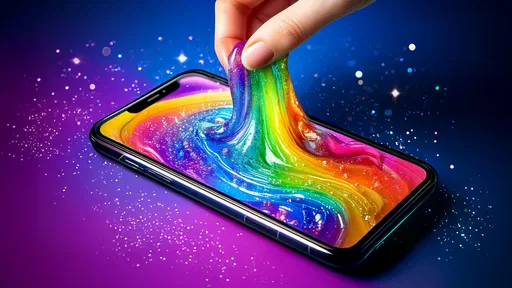
One of the coolest features of this app is the realistic slime simulation. As you mix your ingredients, the app mimics the textures and movements of real slime. You can stretch it, poke it, and even swirl it around your screen. The tactile feedback is surprisingly satisfying, and I found myself getting lost in the squishy fun more times than I’d like to admit.
That interaction is the main reason I’d choose this over a standard coloring app when I want a sensory pause. Coloring is better if I want to make a flat picture and control fine details; this is more about watching a soft-looking material deform under my fingers. The trade-off is that screen interaction cannot provide the actual resistance, temperature, or mess of physical slime. If those sensations are the point for you, a real kit is the better choice.
But it’s not just about creating slime. The app also offers a plethora of mini-games and challenges to keep you entertained. From slime puzzles to matching games, there’s plenty to do when you want a break from your DIY creations. These little extras add a nice touch and keep the app feeling fresh and engaging.
I’d use those extras when I want a clearer task than open-ended decorating. A mini-game gives the session a stopping point, while creating slime can easily turn into “one more color” without a natural finish. If you find the extra activities less relaxing than the tactile play, there’s no need to force them; the making and manipulating are the stronger reason to open the app. This is best treated as a casual pastime, not as a deep puzzle collection or a competitive game.
Common questions while you explore
One common point of confusion is whether the app is meant to teach a real slime recipe. I wouldn’t approach it that way: the appeal is virtual creation and screen-based play, not instructions for making a physical mixture. Likewise, the feeling is simulated, so it can be calming or entertaining, but it is not a substitute for an offline sensory activity if you need something away from a screen.
Another practical question is whether you can enjoy it without spending money. The app is free to download, and optional purchases are available, but I’d begin with the free experience and see how often you return before considering any extras. Since individual purchase items can cost from $3.49 to $54.99, it is sensible to review the amount carefully and use device purchase controls if a child will be playing. Ads may also interrupt the flow, so someone seeking a completely uninterrupted experience may prefer a different activity.
Sharing Your Slime Creations
Another great aspect of Super Slime Simulator: DIY Art is the ability to share your creations with friends. The app lets you save your slime masterpieces and share them across social media. It’s a fun way to show off your artistic side and maybe even inspire someone else to join in on the fun.
Sharing is most worthwhile when you have a specific design you’re pleased with, rather than treating every experiment as something that needs an audience. I’d make a few private attempts first, then save the one that feels finished. If you’re helping a younger player share something, take a moment to check what they are posting and where; keeping a creative activity private is just as reasonable as showing it to friends.
And if you’re feeling a bit competitive, you can participate in community challenges. These are themed events where you can submit your best slime creations and see how they stack up against others. It’s a nice way to connect with fellow slime enthusiasts and maybe even pick up some new ideas.
For someone who likes making things alongside other people, a themed prompt can solve the “what should I make?” problem and give a session a purpose. On the other hand, if you prefer to create without comparison, you can ignore the competitive angle and use the app as a personal sketchpad for colors and textures. That flexibility is useful: it can be social when you want inspiration, but it doesn’t need to be the reason you open it.
Who will enjoy it, and who may prefer something else?
I’d recommend it to people who enjoy tactile-looking animations, casual customization, or a quick creative distraction that doesn’t leave supplies on the table. It can also suit a family looking for a simple phone activity, provided an adult handles purchase settings and helps younger children with online sharing. The Everyone rating makes the intended audience broad, but individual preferences still matter: some players will love the repetitive squishing, while others may find it too simple after a few sessions.
I’d skip it if your priority is learning an art technique, building a detailed illustration, or getting a substantial game with progression and depth. A drawing app offers more deliberate control for finished artwork, and a physical slime activity wins for hands-on texture. Compared with those usual alternatives, this app sits in a narrower but useful middle ground: it offers an easy-to-start, touch-led activity without materials, but its appeal depends on enjoying the simulation itself.
Is It Worth Downloading?
So, is Super Slime Simulator: DIY Art worth the download? If you love creativity, enjoy sensory play, or just need a fun way to relax, this app is definitely worth checking out. It’s perfect for kids and adults alike, and it offers a fun escape from the daily grind.
The app does have some ads, which can be a bit distracting, but they’re not overwhelming. There are also in-app purchases available for those who want to unlock extra features, but the free version offers plenty to keep you entertained.
Overall, Super Slime Simulator: DIY Art is a delightful app that brings the joy of slime to your fingertips without any of the mess. It’s a playful, engaging experience that’s perfect for a quick creative break or a longer crafting session. So go ahead, dive into the world of slime, and let your imagination run wild!
Verdict
Strengths of Super Slime Simulator: DIY Art
- Realistic slime textures enhance experience.
- Wide variety of customization options.
- Regular updates with new slimes and features.
- User-friendly interface for all ages.
- No intrusive ads during gameplay.
Limitations of Super Slime Simulator: DIY Art
- Limited free content; in-app purchases needed.
- Occasional lag on older devices.
- Sound effects can be repetitive.
- Some features require stable internet.
- May drain battery quickly on high settings.
Other Releases by Dramaton
View All
Squishy Magic: ASMR Toy Maker
Educational4.6
Similar Picks in This Category
View All
SmartThings
Samsung Electronics Co., Ltd.4.6

Google Home
Google LLC4.0

Pinterest4.2

Astrotalk - Talk to Astrologer
Astrology & Horoscope4.7

My Verizon
Verizon Consumer Group4.5

Samsung Wallet (Samsung Pay)
Samsung Electronics Co., Ltd.4.1
Frequently Asked Questions
What is Super Slime Simulator: DIY Art?
Super Slime Simulator: DIY Art is a creative app that allows users to make and play with virtual slime. It offers a wide variety of colors, textures, and decorations to customize your slime creations. The app provides a realistic and tactile experience, giving users the freedom to experiment and enjoy slime play without the mess.
Is Super Slime Simulator free to download and use?
Yes, Super Slime Simulator is free to download on both Android and iOS platforms. However, the app offers in-app purchases for additional features and customization options. These purchases enhance the user experience by providing more variety in slime types and accessories, but they are not necessary to enjoy the basic features of the app.
What age group is Super Slime Simulator suitable for?
Super Slime Simulator is designed for all age groups, with a focus on being child-friendly. The app is perfect for kids who enjoy creative play and sensory experiences. Parents can feel assured that the app is safe for children, with simple controls and no inappropriate content. It's also enjoyable for adults seeking a relaxing and stress-relieving activity.
Does Super Slime Simulator require an internet connection?
Super Slime Simulator can be used offline, making it convenient for users who want to play without an internet connection. However, certain features, such as downloading updates or accessing online content, may require connectivity. Offline play ensures that you can enjoy the slime-making experience anytime and anywhere, without limitations.
How customizable are the slime options in the app?
The app offers a high level of customization, allowing users to choose from a wide range of colors, textures, and add-ins like glitter and foam beads. You can create unique slime combinations and even share your creations with friends. The extensive options ensure that every user can personalize their slime experience to match their preferences.
